Plugd app icon ● Reads and As-Built writes tested on a real Ford
FORScan on your Mac.
No Windows needed.

Plugd sets up everything FORScan needs on an Apple Silicon Mac, finds your OBD adapter, and opens FORScan with one click. Free.

Apple Silicon · macOS 14 or later · USB OBD adapter · v0.3.1

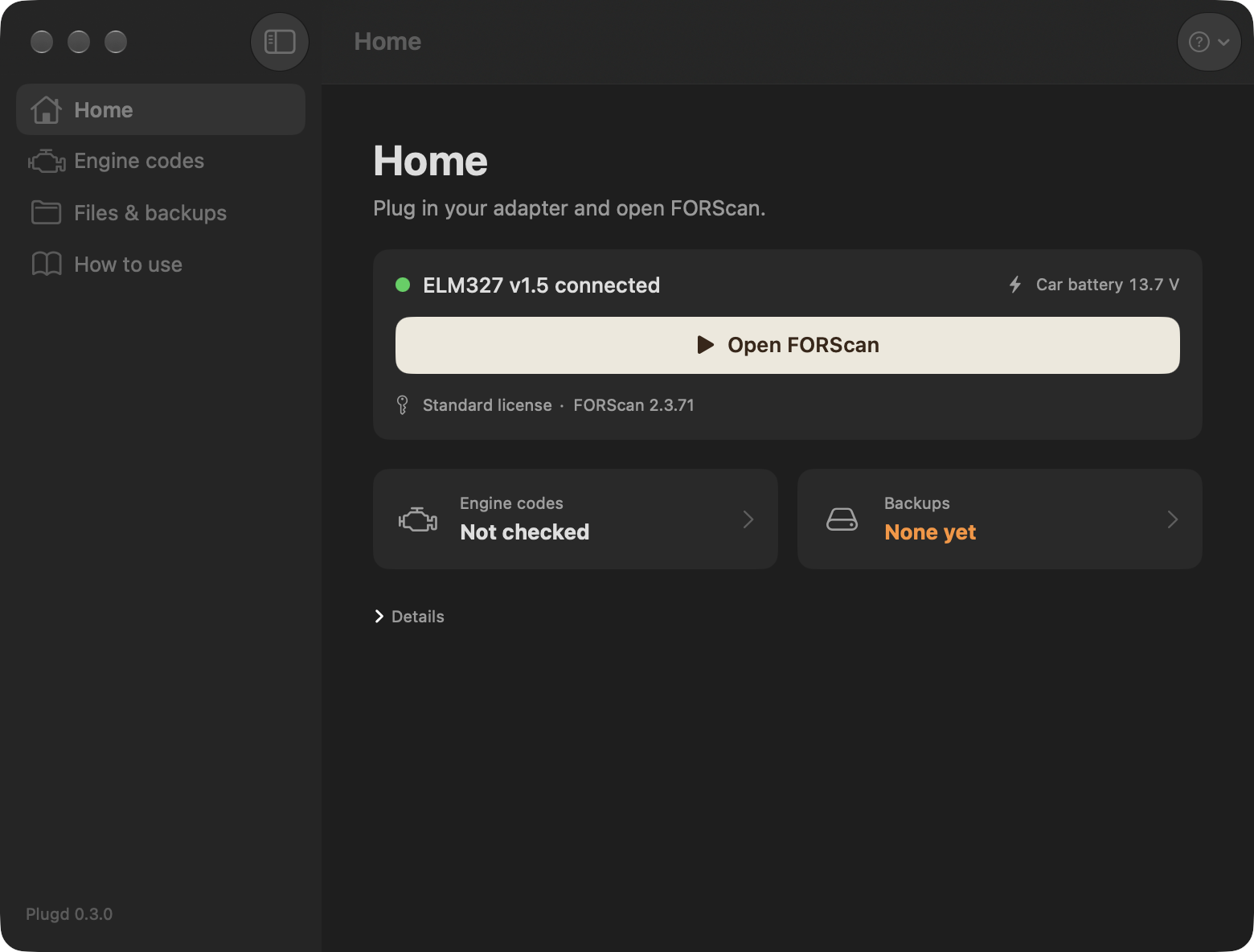
Plugd Home page with adapter status and Open FORScan button
Home: your adapter, FORScan and backups at a glance
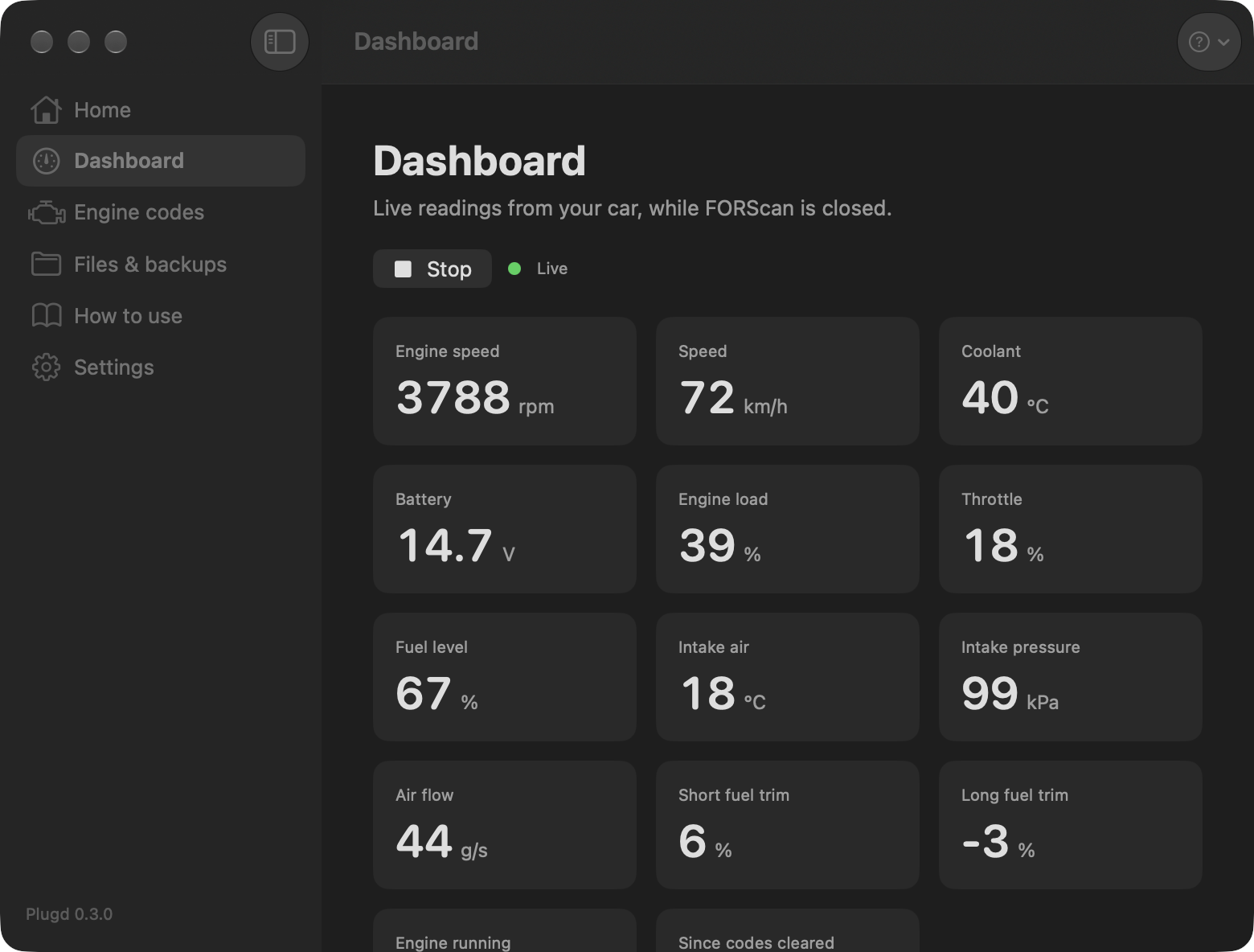
Plugd Dashboard with live engine speed, speed, coolant and battery readings
Dashboard: live readings while FORScan is closed

How it works

FORScan is a Windows app. Plugd runs it with Wine, a free layer that runs Windows programs on macOS, and connects it to your adapter.

Set up once

Installs Rosetta, downloads Wine, and gets the official FORScan installer from forscan.org. You read and accept FORScan's license.

Plug in

Plugd spots your USB adapter and maps it to COM1, the port FORScan expects. Changed USB ports? It remaps.

Open FORScan

The full Windows FORScan, with its Extended license, configuration, and As-Built editing.

Files on drive O:

Drag license keys, As-Built backups or profiles into Plugd. FORScan sees them on drive O:. Anything FORScan saves to O: lands in Documents/Plugd on your Mac.

Quick engine check

Read the engine's error codes and the battery voltage in a few seconds, without opening FORScan.

Backups in sight

Lists your As-Built backups by date, and warns you when there are none before you change a setting.

Stays current

Shows when your FORScan Extended license runs out, and updates FORScan from forscan.org in one click.

Live dashboard

RPM, speed, coolant, battery, fuel level and more, about once a second. Only the readings your car supports show up.

In the menu bar

Adapter status, Open FORScan and engine codes from the menu bar. Can start at login and hide from the Dock.

FORScan.exe ──▶ Wine (COM1) ──▶ /dev/cu.usbserial ──▶ OBD adapter ──▶ car (HS-CAN / MS-CAN)
         ▲
   Plugd: setup, port mapping, start and stop

Works with

The first table lists real tests. Tried it on your car? Open an issue on GitHub and it goes in.

CarAdapterReadsWritesDate
2023 Ford Taurus, Middle East
Mondeo EVOS, 2.0L EcoBoost
ELM327 v1.5 (CH340), manual HS/MS switch ✓ 22+ modules ✓ features added, confirmed in the car Oct 2026

Cars

WhatWhich cars
FORScan (settings, all modules)Ford, Lincoln, Mercury, Mazda
Engine codes and DashboardAny car with OBD-II (petrol cars from about 2001). Engine only, not ABS or body.

Adapters

AdapterStatus
USB ELM327 with CH340 chip✓ Tested
USB with FTDI, CP210x or PL2303 chip (OBDLink EX, vLinker FS USB)Should work, not tested yet
Wi-Fi ELM327Maybe, through FORScan's own network setting. Not tested.
Bluetooth ELM327No
J2534 tools (VCM II, VXDIAG)No, they need Windows drivers

FAQ

macOS says the app "cannot be opened"

Plugd isn't notarized by Apple yet. To open it the first time:

  1. Try to open Plugd once and close the warning.
  2. Open System Settings → Privacy & Security.
  3. Scroll down and click Open Anyway next to Plugd.
Which adapters work?

USB adapters that show up as a serial port: ELM327 clones with CH340, FTDI, CP210x or PL2303 chips, OBDLink EX, vLinker FS USB. Bluetooth adapters don't work, and Wi-Fi ones are untested. See Works with. FORScan may warn that a cheap ELM327 is "not recommended"; ours still read and wrote fine.

FORScan asks me to flip the HS/MS switch

That's normal for adapters with a manual switch. Flip it and click OK in FORScan. Adapters like the OBDLink EX switch on their own.

Do I need a FORScan license?

Reading codes works with the free Standard license. Changing settings needs the Extended license (a free 2-month trial at forscan.org). The key is tied to the computer's hardware ID, so get a key for the hardware ID FORScan shows on your Mac. Drop the key into Plugd's Files box, then in FORScan open About → Load key and pick it from drive O:.

Is it safe to write settings?

Writing settings can break a module if it goes wrong. Save a backup of each module's As-Built data first, keep a battery charger on, and don't change values you don't understand. Plugd passes FORScan's commands through and doesn't change them, but you use it at your own risk.

Does Plugd include FORScan?

No. Plugd downloads the official installer from forscan.org on your Mac. FORScan's installer crashes inside Wine today, so Plugd unpacks that same installer and copies its files unchanged.

Will it keep working on future macOS versions?

Wine needs Rosetta to run FORScan. Apple has said Rosetta stays fully available through macOS 27 and is limited after that. If a future macOS breaks it, the GitHub page will say so.